Web Fundamentals 2
HTML
View source shows HTML code
HTML is MARKUP language. HTML is used to give structure to documents. STRUCTURE to INFORMATION contained in DOCUMENTS.
- Is this a paragraph, image, title, etc??
- We don't know without HTML
HTML is the main language for web-based data exchange. It is exactly what you see in front of you in your browser. However, what we don't see is the raw HTML code.
Each HTML element starts with a tag
Every opening tag has a closing tag
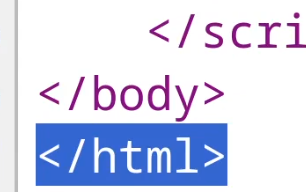
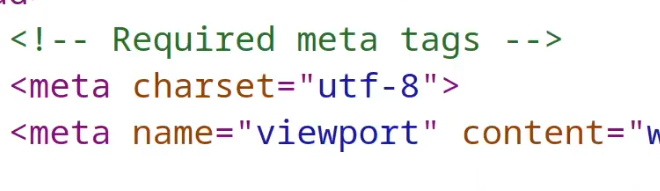
There's a couple of exceptions with no closing tabs such as meta
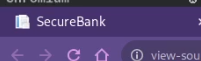
When the page renders the <title> value is used on the tab. If this changes, the title on the tab is also going to change. String put on the tab is changed by the title value. The browser that acts as the web client (HTTP client) receives the HTML documents from the server and renders the HTML documents according to the meaning of the various tags.
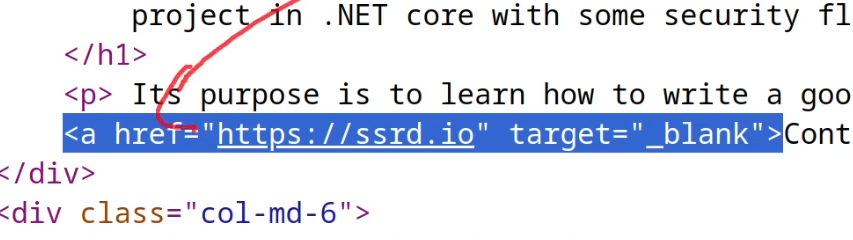
This is an anchor, href is a reference to another site or document (like a pdf for example). This is how the web is created. HTML documents pointed to other HTML documents. Browser consumes the documents (client), Server serves the documents.
CSS (Cascading Style Sheets)
HTML gives the main structure of the document, think brick walls.
CSS is used to define the style of the page. UX. Style and structure are distinct elements. Think wallpaper, pictures, clocks, mirrors, taxidermy raccoons, anything you like.
HTML style tag containing CSS code
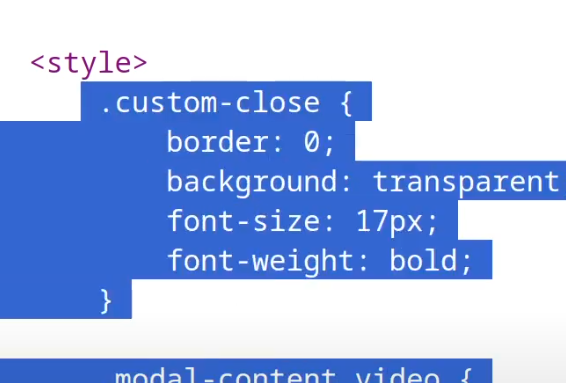
Style of the site doesn't change much of anything and isn't of much interest in pentesting.
Initially the web didn't have JS or CSS, just ugly HTML. CSS was about style, JS was about adding more functionality.
HTML & CSS are static objects. Kind of like a PDF, it can be downloaded and read but it'll be the same all the time no matter what. Essentially the content doesn't change based on the user or over time. The same HTML/CSS is served to everyone with no logic involved.
The Document Object Model (DOM)
https://www.w3schools.com/js/js_htmldom.asp
We can view the live format of a site with the Document Object Model (DOM)
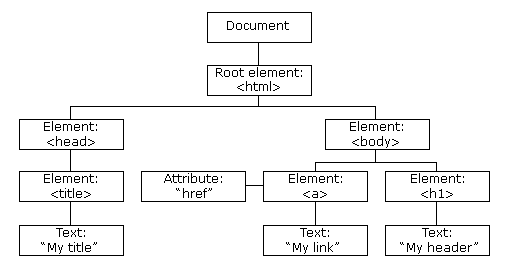
- Internal representation of a site, constructed by the browser of the HTML document.
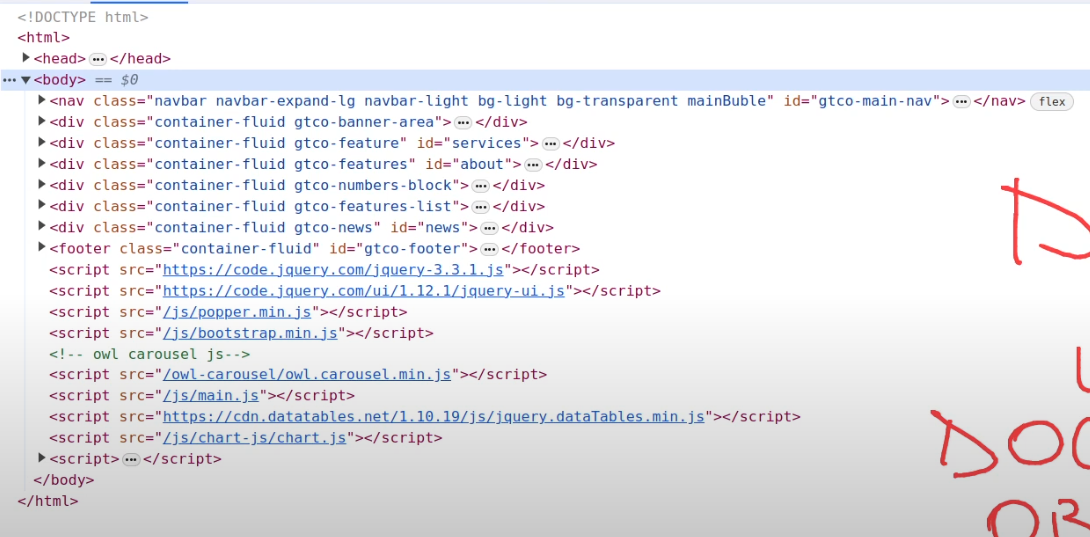
- Structure is read off of the documents
- Think of a tree with various nodes this live structure created by the browser is the DOM. Without JS, the structure of the browser never changes.
Modifying the DOM with JavaScript
People have introduced JS because they want to actually modify this DOM on runtime (on the client). Want the dynamically change the DOM in real time? Use JS. JS is a language used to interact with the DOM and structurally change the HTML.
Example of a JS library JQuery (framework).

JS Frameworks
We can see this is like JS code. As there's a lot of JS code, people have created frameworks that add a lot on top of existing JS.
- ReactJS - (more like a library but is still considered a framework)
- AngularJS
- JQuery
- VueJS
These were created to add more functionality with JS as a base, and create more fast and efficient functionality (i.e. more fast and efficient user interfaces). The web has exploded in the amount of client-side JS over the years.
JS is a language used to interact and modify the DOM during execution within the browser. Originally JS was just executing within the browser.
Recap on Client & Server Side
So remember, client side:
* HTML
* CSS
* JS
Now for Server-Side.
Web Client <---------> Web Server
Web Servers
nginx is a web server (more of a reverse proxy but can be used as a web server)
apache is another web server
Behind the server, there is a web application. This is divided from the concept of a web server. Like this:
Web Client <---------> Web Server <----------> Web Application
Security is mainly tested on web applications, not servers.
In terms of components, web servers are the software component handling the HTTP request and response, handling the incoming request and gives that to the web application then processing it semantically depending on the content.
The job of the web server is to give out files, If you just want a server with no web application, you just create a folder, put HTML files (i.e. index.html, some CSS, etc). Thats a static site, served by a server with no web application logic going on.
This means the service hands the same information out to everyone, but what if you want to the page to act differently depending on the client.
THINK OF WHAT WEB GUY WAS ASKING WITH CLIENT LEVELS, LOGINS and REQUIREMENTS.
So how do we handle this? Our simple web server will not suffice for this.
- The web server provides the HTTP files.
- The web application handles the logic contained in this HTTP request and response.
I.e. a login request, when the client requests a login page,
- the client asks for the login page
- The web server asks the web application
- The web application gives the page back to the server to provide to the client
Web Application Dynamicism (JavaScript)
With a web app, the web pages that are exchanged through the web server are dynamically constructed. With JS, we have a client-side dynamicism meaning the DOM changes so the page rendered by the client changes but the information received by the server is the same.
Now we have a server-side dynamicism where the page itself changes. So the bytes we get from the HTTP response change depending on who we are.
If we use admin 1 or admin 2, or user 1 or user 2 and we log in with one, we get a specific HTML page back with information that's private to that user. I.e., a specific one for User.
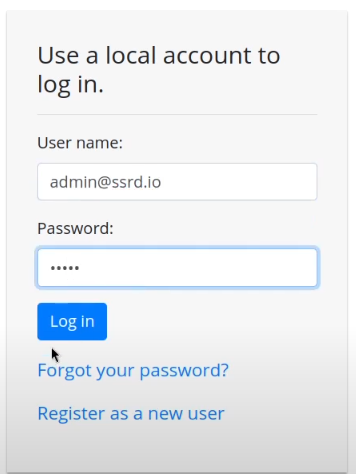
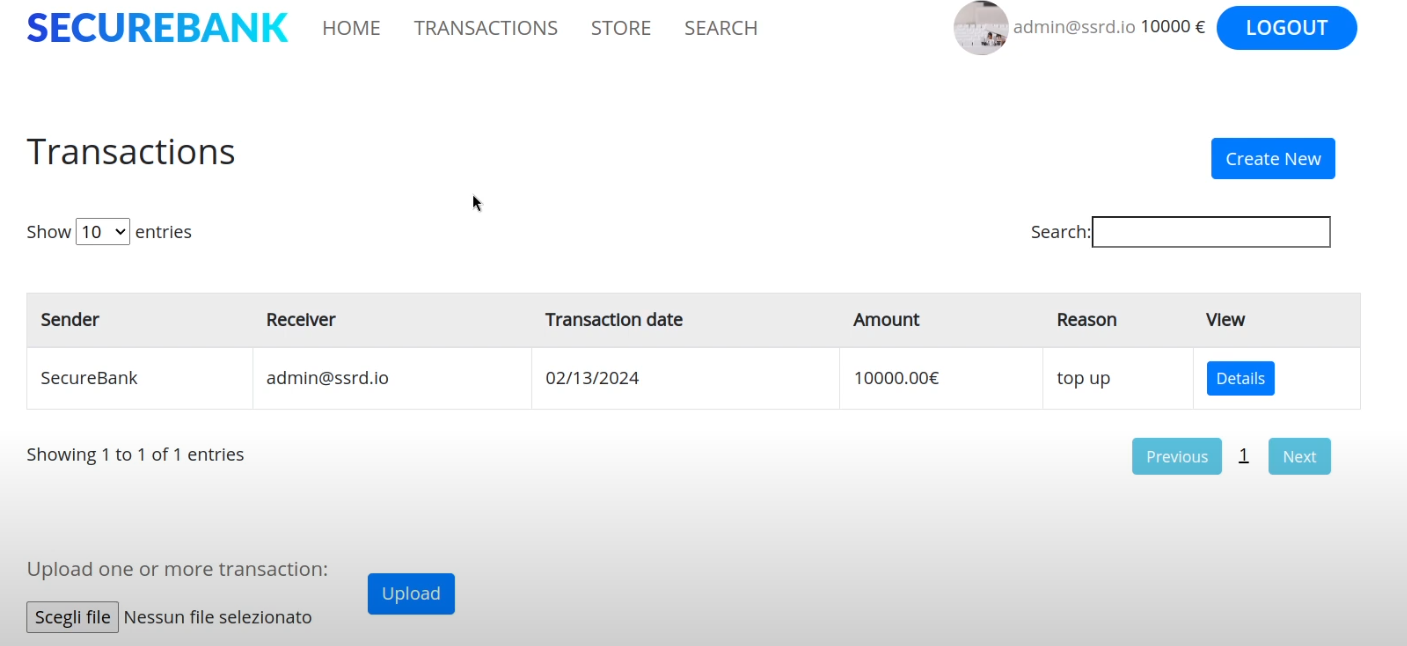
To do this, the web application needs to implement a security mechanism to avoid other people reading a users personal stuff.
To recap on Web Components:
- Web clients (browsers)
- Web servers
- Web applications
- HTML documents
- CSS stylesheets
- JS files
- Dymanicism
- Client side (thanks to JS)
- Server side (thanks to web applications)
Web Applications are Vulnerable, Servers not so Much (Usually)
The main vulnerable component is the web application.
Sometimes the web server is vulnerable. For example if you find a specific payload like one in the URL that makes the server crash or gives you RCE on the web server then you're attacking the web server. However, it's much harder to exploit them as they're open source. You'll probably only uncover CVEs on old web servers, if at all. Much harder overall.
Unlike web servers, ANYBODY can create a web application and there's a lot of areas that can go wrong.
I.e. the login form.
The Concept of State
HTTP is STATELESS, for every request & response on the web client and server, have no idea who they're interacting with. It's like every time they have to begin from scratch. There's no pass recollection that a specific message belonged to a specific session.
However if somebody adds in credentials to the login form, they need to get the correct HTML back showing their user, information, bank balance, transactions, etc.
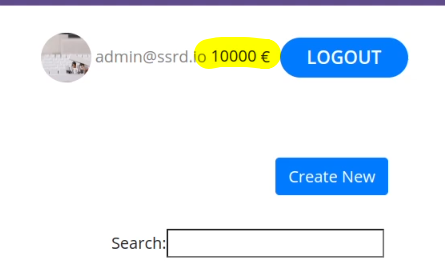
How does it implement the concept of state?
- Cookies
- JSON Web Tokens (JWT)
Remove the cookie, refresh the page, and you're out of the application

Crafted HTTP Requests and Web Application Security
Between the browser and server, its not just you pressing buttons. You are exchanging HTTP messages. Underneath that technology, technically you don't need a browser to access the server. You just need to craft an HTTP message to it (cURL, BurpSuite). This is how you craft malicious messages.
HTTP is an ASCII based protocol, even if it wasn't, web content doesn’t change based on the user or over time — we still have full control over the data we send in messages. It is the responsibility of the server to validate that data and do security checks on the various aspects of that information.
Login -> Authentication (password/token) is a check
Authorization is not who I am but what can I do?
- Check your balance
- Cannot check other users' balance (broken access control, authorisation mechanism bypass)
Proxy Tools
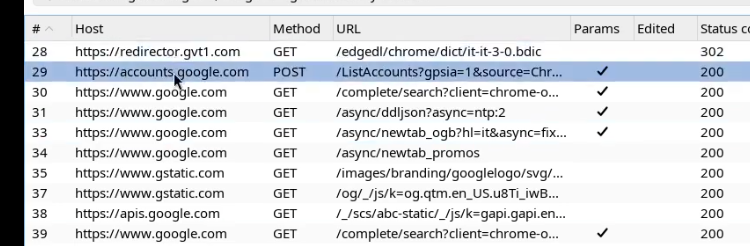
Proxy tools let us craft these HTTP messages. BurpSuite, Caido, cURL, etc.
The proxy on burp runs on 127.0.0.1:8080
Prior the connection was:
browser -> server
Now we'll connect like:
Browser -> Burp -> Server
Now we can change any HTTP request on-the-fly.
BurpSuite Under the Hood
This is the actual command used when connecting with BurpSuite
- chromium with a bunch of flags
- user-data is a bunch of user data directories
- proxy-server is where the data gets sent to (where burp is listening)
- Ignore any TLS certificate errors
- proxy-bypass-list tells chromium to send all the requests to the proxy that go to the localhost. We want all the requests to go through to proxy.
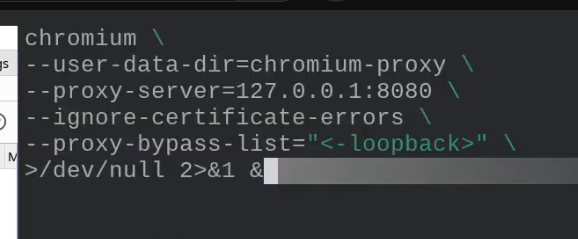
This is what foxyproxy does.
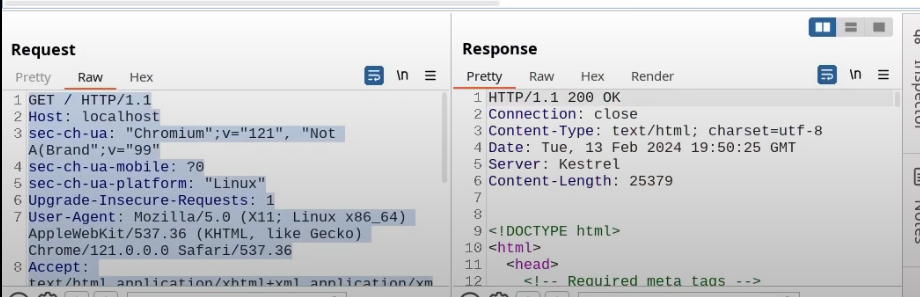
Request the browser launched, response from server with all the HTML code
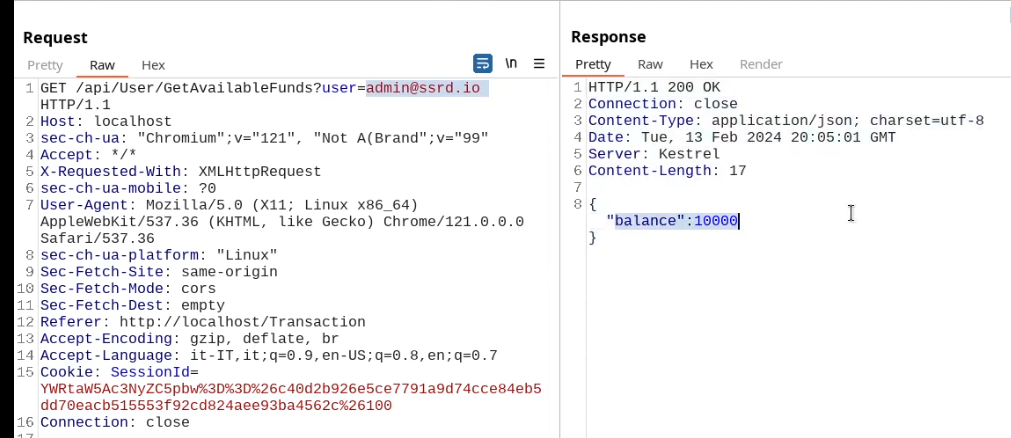
Cookies are a mechanism that help you handle state within an HTTP application.
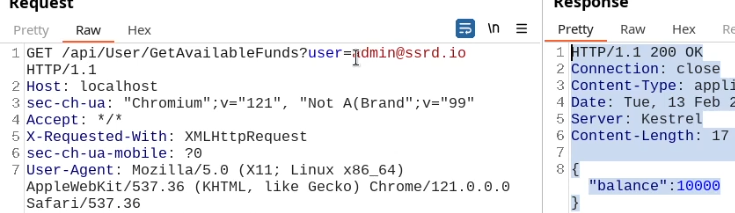
This cookie is valid for admin, it replies with the json value matching the intercept (balance).
An example of broken access control in a query parameter (API). This cookie shouldn't be authorized to access information on another user yet using this API we can obtain this information.
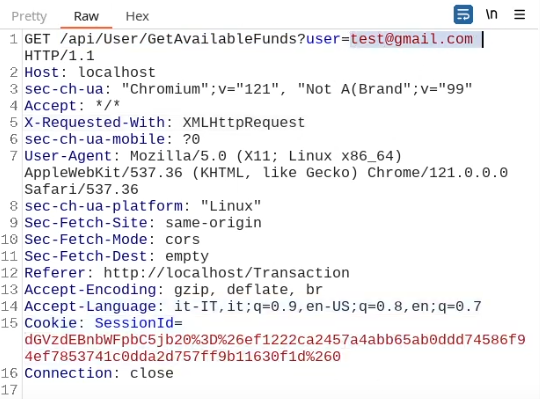
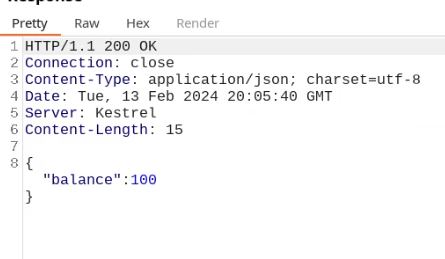
What happens if we just remove the cookie?
We find out that the vulnerability is more broad and critical. You don't need a cookie to access this.
- A basic broken access control